ONLINE IMAGE TOOLS

Rotate and flip image online

Correct a sideways photo or mirror an image for a different composition. Rotation works in 90-degree steps, with Undo and Redo to compare changes.

Drop your image hereor choose a file to get started

JPG, PNG or WebP · Up to 15 MB · 16 megapixels

Free to useNo account neededProcessed on your device

What would you like to do?

Choose a tool to start editing.

How to use this tool

  1. Open a supported image from your device.
  2. Choose 90° left or right, or a horizontal or vertical flip.
  3. Check the orientation and download your new image.

Compare the original and the result

The examples below show images before and after editing in PicMender.

Make a sideways photo upright

Correct the orientation with a 90° rotation. The photograph stays in proportion.
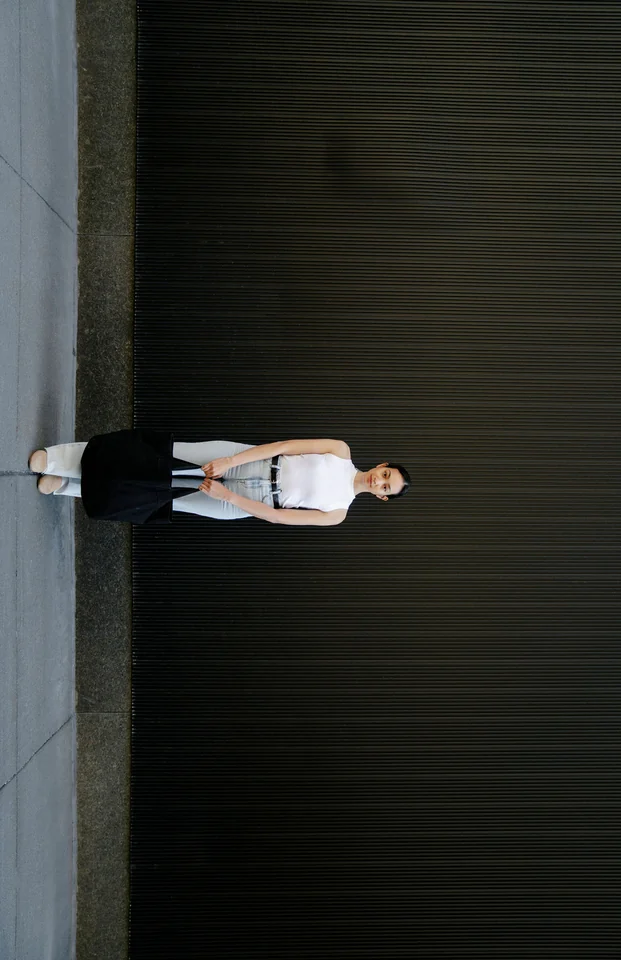
Sideways original
Sideways original
Upright photo
Upright photo

90° rotation: 993 × 1536 px → 1536 × 993 px.

Rotation
90°
Original dimensions
993 × 1536 px
Exported dimensions
1536 × 993 px

How to do it

  1. Open the sideways photo.
  2. Rotate it by 90° in the direction that makes it upright.
  3. Check the orientation and export the image.

A 90° rotation swaps the image’s width and height.
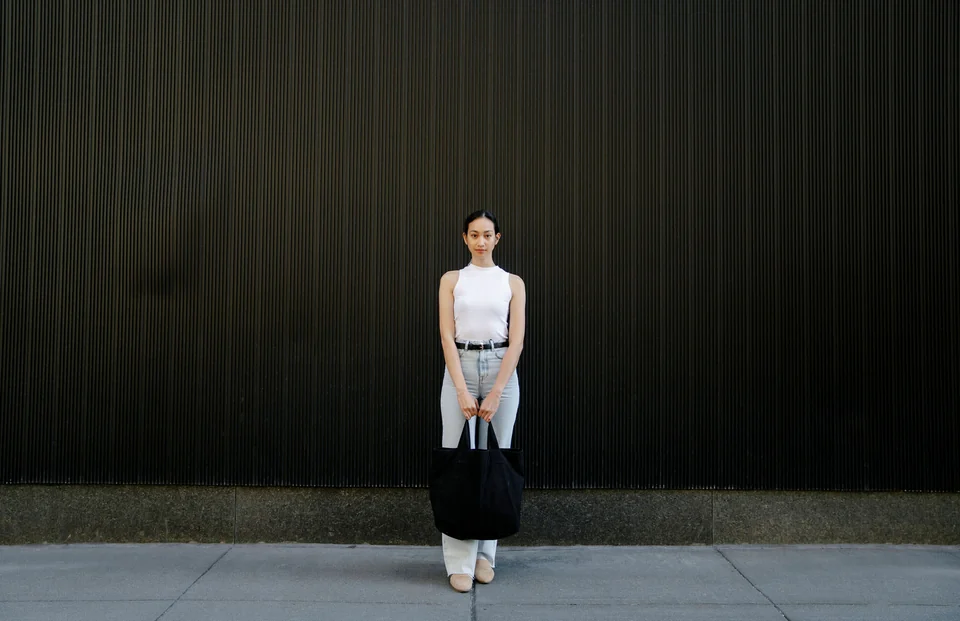
Flip the photo horizontally

Swap left and right without turning the photo upside down.

Original photo
Original photo
Horizontally flipped photo

How to do it

  1. Open the photo and choose the horizontal mirror option.
  2. Check the new left-to-right arrangement and export.

Practical example and settings

Example: A sideways 3000 × 4000 image becomes 4000 × 3000 after one 90° turn. A horizontal flip reverses left and right; it is useful for composition but also reverses any lettering in the image.

Choose your settings: Choose a quarter-turn to change orientation, or a horizontal or vertical mirror to reverse the image. Undo and Redo help compare the result before downloading.

If the result is unexpected: This tool cannot straighten a tilted horizon by a few degrees. Check any text after mirroring. Exports create new pixels and do not preserve the original camera metadata or colour profile.

Questions about this tool

Can I rotate by an arbitrary angle?

This tool rotates in 90-degree steps. It does not currently offer arbitrary-angle rotation or horizon straightening.

Will rotation keep my original camera metadata?

No. Download creates a new image from pixels; original camera metadata, colour profiles and print resolution are not preserved.

More image tools

Edit and save
a new copy.

Use the tools in your browser without installing an app or creating an account.

01

Switch between tools

Open an image from your device and move between tools in the same editor.

02

Preview your changes

See the image as you edit. Undo the last changes, or start again from the original.

03

Save a new copy

Choose a format and download the result. The original file remains on your device.

Local processing

Image processing stays on your device.

The editor works on your device. Your selected image is not uploaded to our server.

How privacy works

Good to know

File limits, export quality and local processing.

Is my image uploaded?

No. The editor reads the image you select and processes it locally in your browser. We do not receive or store your image.

Which files can I use?

Static JPG, PNG and WebP images up to 15 MB and 16 megapixels, with no side longer than 8,192 pixels. GIF, HEIC, SVG, RAW and animated images are not supported.

Will a smaller file have the same quality?

JPG and WebP compression can remove detail. Compare the prepared result before downloading. PNG export is lossless for the edited pixels, but the file can be larger than the original.

Can PicMender find faces automatically?

Yes. Use Find faces automatically to suggest areas, then check and adjust them. Detection can miss faces or select the wrong area. Manual rectangles and circles remain available, and edits are included in the downloaded image.

Does it preserve camera metadata?

The editor creates a new image from pixels; original camera metadata, colour profiles and print resolution are not retained as an editing feature. Colours and fine detail may differ from the original.